
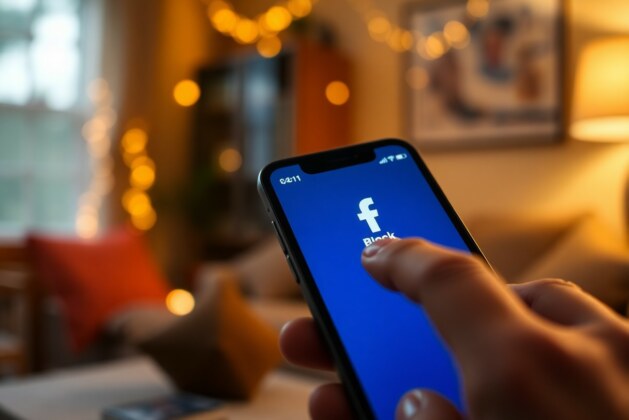
Over time, you may encounter individuals on Facebook who disrupt your online experience or invade your personal space. Blocking someone is a straightforward way to regain control and ensure that your interactions remain positive. This guide will walk you through the steps to effectively block unwanted individuals, helping you to create a safer and more enjoyable environment on the platform.
Understanding the Need to Block Users
Your online interactions can significantly affect your mental and emotional well-being. In today’s digital era, it’s imperative to understand when and why you may need to block certain users on platforms like Facebook. Adequate social media engagement should enhance your experience, but toxic interactions can drastically diminish your enjoyment and sense of safety. You might find that blocking someone becomes necessary when their actions begin to intrude upon your personal online space or impede your ability to connect with others positively.
Factors That Necessitate Blocking
You may encounter various instances where blocking a user becomes necessary for your online well-being. Here are some common factors that necessitate taking this step:
- Harassment: If someone is persistently sending unsolicited messages or posting harmful comments, it’s vital to protect yourself.
- Inappropriate content: Receiving or being tagged in offensive materials can affect your online reputation and cause distress.
- Toxic behavior: Interactions that foster negativity, judgment, or hostility can create a harmful online environment that affects your mental health.
- Privacy concerns: If an individual is overstepping boundaries or seeking personal information, blocking them can help safeguard your privacy.
Recognizing these signs can be the first step toward creating a healthier online presence, ensuring that your interactions contribute positively to your overall happiness and engagement.
How Blocking Protects Your Online Space
Assuming you have identified inappropriate behavior from certain users, blocking them offers you a tactical strategy to reclaim control over your social media experience. By doing so, you eliminate the exposure to negative interactions that can linger and disrupt your peace of mind. A blocked individual will no longer be able to see your profile, send you messages, or engage with your content, which can liberate you from unwanted attention and invasive behaviours. This tool empowers you to curate your online experience based on who you want to interact with and excludes those who attempt to infringe upon your comfort.
Plus, blocking not only deters negative interactions but also fosters a sense of empowerment over your own digital narratives. As you build and maintain your online community, you will find that your connections become more meaningful and filled with positivity. It’s imperative to recognize the potential impacts of allowing harmful interactions to persist, as they can lead to emotional stress and anxiety. Taking proactive measures, such as employing the blocking feature, ensures that your online space aligns with your values and desires. You can navigate social media free from the influence of those who detract from your overall experience, thus paving the way for a more positive and fulfilling online journey.
How to Block Someone on Facebook
Step-by-Step Guide
Block someone on Facebook, and you can gain back control over your online interactions. The process is straightforward, and understanding how to do it can help you maintain a more positive experience on the platform. Whether you want to stop receiving messages, prevent someone from viewing your posts, or just create a more comfortable digital space, Facebook provides options. Below is a step-by-step guide on how to effectively block someone from your account.
| Step | Action |
|---|---|
| 1 | Open the Facebook app or website and log into your account. |
| 2 | Go to the profile of the person you wish to block. |
| 3 | Click on the three dots in the upper right corner of their profile. |
| 4 | Select “Block” from the dropdown menu. |
| 5 | Confirm that you want to block this person by clicking “Confirm” on the pop-up. |
Following these steps will ensure that the individual will no longer be able to see your profile, send you messages, or interact with you in any way on Facebook. You can always unblock them later if you change your mind, which offers peace of mind as you can adjust your online environment as needed.
Alternatives to Blocking
An alternative to blocking someone on Facebook can be adjusting your privacy settings to limit their access without severing ties completely. Using the platform’s restrictive options, you can control who sees your posts, comment interactions, and friend list. This can be particularly useful if the individual in question is a mutual friend or acquaintance that you don’t wish to offend, but whose online behavior you find uncomfortable. Consider using the “Take a Break” feature, which allows you to continue being friends while limiting interactions in specific ways, such as preventing your posts from appearing on their timeline.
Aside from privacy settings, you might also consider simply unfollowing the person. By doing this, they will still remain on your friends list, but you won’t receive any updates from them in your news feed. This can be a practical solution if you want to avoid potential confrontation, while still keeping the connection, particularly if the relationship could have personal or professional value. Engaging in thoughtful conversations to express your concerns might also lead to a resolution without having to resort to removing them entirely from your online sphere.
Another option is adjusting your notification settings. You have the power to customize notifications based on person’s activities, allowing you to partake in your social connections without becoming overwhelmed by unwanted updates. A thoughtful approach to managing your online space can enhance your Facebook experience while ensuring you maintain control over what content you interact with. Each of these alternatives offers you a way to keep your social media interactions comfortable without completely blocking someone from your life.
Tips for Managing Your Facebook Privacy
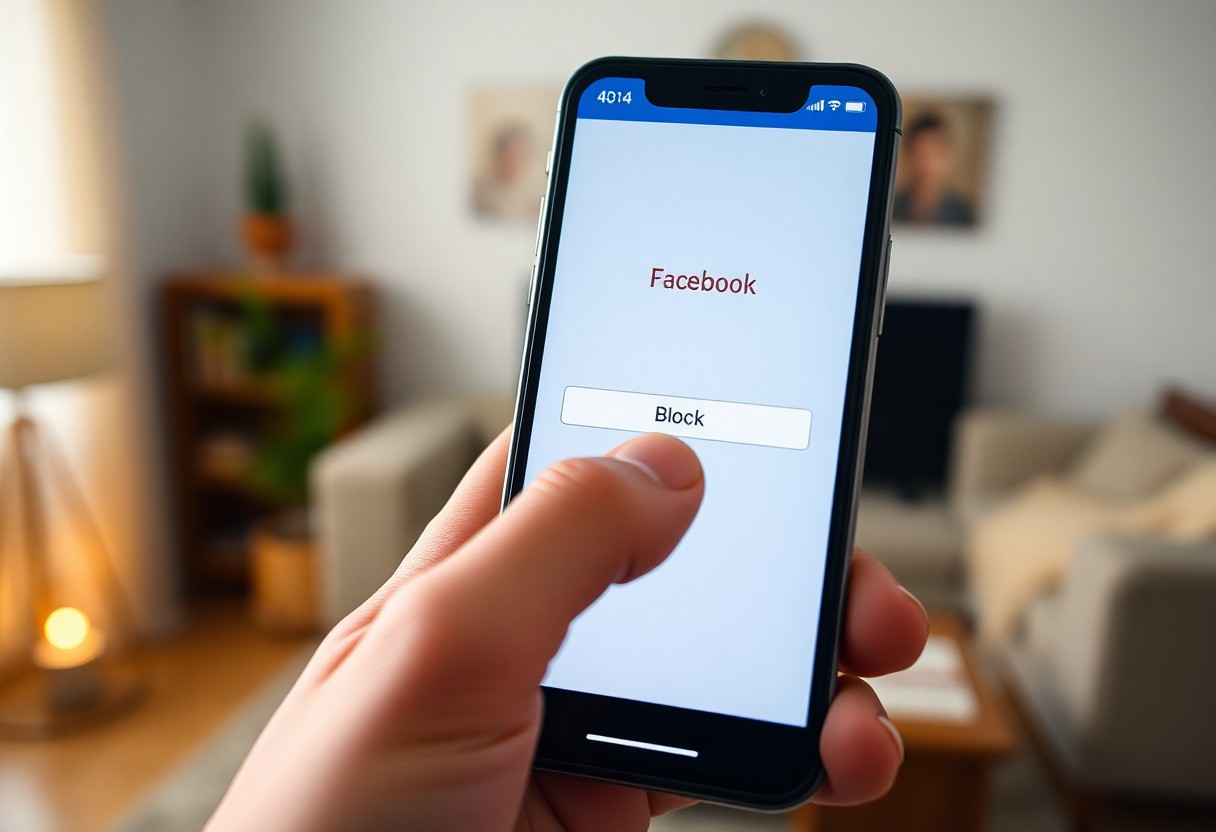
Not everyone who adds you on Facebook is a friend, and managing your online space effectively can help you maintain your privacy. It’s vital to take proactive steps to safeguard your information and interactions. A few fundamental tips to consider include reviewing your friend list regularly, adjusting your privacy settings, and utilizing features like Restricted Lists. By staying proactive, you can create an environment where you feel secure and comfortable sharing your thoughts, images, and updates. Here are some important steps to take:
- Review your friend list and remove any connections that no longer serve you.
- Regularly check your privacy settings for updates and changes.
- Adjust who can see your posts to limit your audience appropriately.
- Use Restricted Lists for acquaintances you want to keep but don’t want to share everything with.
- Be mindful of the information you share in comments and groups.
Engaging with your audience responsibly not only protects your privacy but also enhances your online presence. By being selective about who can see your content and actively managing your friend list, you take control of what is shared. The implementation of these tips will ensure that you create a safe online environment, allowing your true connections to thrive. Any effort you make in managing your Facebook privacy can lead to a more rewarding experience on the platform.
Adjusting Privacy Settings
Even though you might be familiar with Facebook’s various features, did you know that the platform offers a suite of robust privacy settings? These settings give you the ability to control what information you share and with whom. By navigating to your settings, you can customize your audience for posts, limit who can send you friend requests, and block specific users entirely. You can also manage who can see your profile picture and your cover photo, giving you even more control over your public image.
Moreover, adjusting your privacy settings is an ongoing process. Facebook regularly updates its policies, and it’s vital to stay informed about these changes. Take the time to revisit your settings periodically, especially after significant updates or if you notice any suspicious activity. Altering your privacy preferences not only allows for a custom-fit experience but also ensures that you’re continuously safeguarded against unforeseen threats. Make a habit of reviewing these settings to remain in control of your online presence.
Finally, you can opt for even stricter privacy controls by enabling features like two-factor authentication for added security. This will help protect your account from unauthorized access and ensure that you are the only one who can log in. The time spent fine-tuning your settings is an investment in your own security and peace of mind; it’s your personal space, after all.
Using Restricted Lists
Using Restricted Lists on Facebook can be a game changer in your approach to privacy management. This feature allows you to keep friends or acquaintances on your friend list while limiting their access to your posts. When you add someone to a Restricted List, they can see only the posts that are public and cannot view your private updates. This option is perfect for those who want to maintain a friendly connection without oversharing personal information.
Utilizing Restricted Lists effectively requires you to be conscious about which posts you want to share with specific audiences. Regularly check your list and add or remove people as feelings about your connections change. This practice allows you to curate your social interactions while keeping a level of distance from individuals who may not require constant access to your private life. Your ability to carefully engage with your online community while maintaining your boundaries is a central aspect of a healthy social media experience.
Plus, using this feature can be a proactive way to manage potential conflicts. If you have a colleague or distant relative who is on your friends list but you prefer not to share your personal updates with them, simply add them to your Restricted List. This way, you can still enjoy the benefits of social networking without worrying about the unwanted scrutiny from those who don’t belong in your inner circle. The balance it offers is immensely positive; you benefit from friendships while protecting your personal space. Any thoughtful application of Restricted Lists will help you navigate Facebook more comfortably and securely.
Recognizing Harassment and Abuse
Unlike face-to-face interactions, where the body language and tone can convey discomfort or hostility, online platforms often obscure these cues, making it easier for harassment and abuse to manifest without immediate recognition. In the virtual space, it’s important to be vigilant about your interactions and the behavior of others toward you. Harassment can take many forms, from hurtful comments on your posts to incessant messages that make you feel uncomfortable. Understanding these behaviors is the first step in protecting your online space. Keep an eye out for any patterns of behavior that make you feel uneasy, as these could signal that you are a target of harassment.
When assessing your online interactions, pay attention not only to the content of messages but also to the intent behind them. Are people constantly belittling your opinions or mocking your interests? This type of behavior can often escalate into more aggressive forms of harassment. Moreover, you should also be fully aware of any unsolicited messages, particularly those that cross boundaries. If someone continues to contact you after you’ve expressed your desire to cease communication, this is a significant indicator of abusive behavior. Empathy and genuine efforts to communicate are necessary in a healthy online environment; if those elements are lacking and you feel unsafe, it’s vital to take the necessary steps to protect yourself.
Being proactive about recognizing signs of abuse or harassment can help you create a safer online space. Make use of privacy settings to control who can interact with you, and educate yourself on the available tools to block or restrict individuals who bother you. Your comfort and safety online are paramount; never hesitate to seek support from friends or trusted individuals if you find yourself in such situations. Understanding these signs can empower you to take action before a situation escalates to a point that feels overwhelming.
Signs of Online Harassment
For many, recognizing the signs of online harassment can feel ambiguous, especially considering the nuances of digital communication. One of the most telling signs is an individual’s pattern of behavior; if you notice someone consistently making derogatory comments about you, targeting your photos, or attempting to provoke a reaction, you may be facing harassment. This behavior can manifest in different ways, including threats, insults, or unwanted sexual advances. Each instance may seem trivial, but if accumulating experiences begin to create an uncomfortable environment, it’s time to take a step back and evaluate the situation. Your peace of mind should never be compromised.
Another indicator is unsolicited communication that becomes obsessive. If someone relentlessly sends you messages, comments on every post you share, or continuously tags you in content you didn’t approve of, these persistent actions can constitute harassment. Such interactions may lead to feelings of anxiety and self-doubt, ultimately taking a toll on your mental well-being. Understanding the difference between friendly engagement and aggression can help you make decisions about whether to confront the person directly or block them entirely to maintain your sense of security and comfort.
Lastly, it’s necessary to recognize the emotional impact harassment can have on you. Feelings of anxiety, dread, or even fear when logging into your accounts can be strong indicators that you are experiencing online harassment. If you dread interacting with your social media platforms because of specific individuals or types of messages, it’s clear that this behavior is affecting your enjoyment of digital spaces. Acknowledging your feelings is a powerful step toward reclaiming your online experience, allowing you to prioritize your well-being.
When to Take Further Action
Further discernment is often necessary when dealing with escalation in harassment, especially when normal attempts to manage it don’t suffice. If you’ve tried using the blocking feature or adjusting your privacy settings but the harassment continues, you may need to consider reaching out to authorities or the platform itself. Additionally, if the harassment crosses into threats of violence, stalking, or identity theft, immediately prioritizing your safety becomes necessary. These behaviors can lead to very serious implications, and your response should reflect the gravity of the situation.
In light of this, it’s fundamental to keep record of the harassment incidents, including screenshots and timestamps of conversations, as this evidence may be required for reporting to the appropriate channels. Documenting these acts provides a clearer picture of the ongoing abuse and supports your case when contacting authorities. Not only will this evidence reinforce your claims, but it can also serve as a powerful reminder that you are not alone in facing such challenges. Taking control of the situation empowers you and could also prevent further harm to yourself or others.
For instance, if someone is persistently harassing you and you begin to feel physical threats or a sense of danger, reaching out to law enforcement might be a necessary path forward. Communication can escalate quickly in the digital realm, and if you feel that you have become a victim of a crime, seeking help is paramount. Your safety and well-being should always come first, and taking further action can provide disengagement from a hostile situation while establishing boundaries that protect you.

What Happens When You Block Someone
To fully understand the implications of blocking someone on Facebook, it is imperative to explore into the various aspects of user interactions that change as a result of this action. When you block an individual, they are no longer able to access your profile or any of your posts. This means that they cannot see your updates, comment on your content, or send you messages. Essentially, you’ve taken a strong step to curate your online interactions by removing an individual who may have been causing you distress or discomfort. In the digital world, safeguarding your mental health is just as significant as it is in real life, and blocking someone can help you maintain your peace of mind.
To further elaborate, once you block someone, you instantly eliminate their ability to see your friends list, tag you in posts, or invite you to events. This ensures that your social circles remain unaffected, and other users remain unaware of any tensions that may have existed. It’s important to note that the individual you have blocked will not receive any notification regarding the block, so you can regain your online space without confrontation. However, if you share mutual friends, they may still be able to see the interactions between you and other friends, which could lead to complications if the blocked individual is intent on stirring drama in your social circle.
To conclude this section on user interactions, it’s worth mentioning that blocking is not a one-size-fits-all solution. While it effectively eliminates bothersome communications, it may also foster *misunderstanding* amongst mutual friends, especially if they witness a sudden shift in your interaction with the blocked individual. You have taken the steps necessary to protect your online space, but be prepared to address any potential questions or rumors that may arise within your shared social networks.
Effects on User Interactions
To explore deeper into the effects of blocking someone on Facebook, you must consider how your interactions with others can be impacted. When you block someone, their ability to engage with your content is completely severed, and this applies not only to their direct interaction with you but also their influence over your mutual connections. People might notice that the previously visible relationship has changed, leading to conversations about the dynamics of your online friendships. It’s imperative to evaluate how this decision could ripple out to other acquaintances — some may choose to side with the person you have blocked, while others might respect your choice.
To make matters more profound, you should recognize that blocking someone also has the potential to empower you. In reclaiming your online space, you assert your boundaries with that individual, reinforcing the understanding that you control your online narrative. This is a positive step towards emotional well-being, allowing you to engage more freely with content and connections that genuinely bring you joy. It fosters a healthier environment where your interactions are less polluted by unwelcome opinions or negativity.
To summarize, the act of blocking someone not only protects your personal space but also reshapes your relationships within your broader social network. Your decision can have unforeseen impacts on your friends and acquaintances, but the most significant outcome is your own peace of mind. Ultimately, it is about prioritizing your well-being in the digital world.
Unblocking Users: What to Expect
An important aspect to consider is what happens when you decide to unblock someone on Facebook. After a block is lifted, the individual regains visibility of your profile, posts, and activities as if the block never existed. They can send you messages again, comment on your posts, and interact with your content. However, keep in mind that any *previous interactions* that exist in your timeline — such as messages exchanged or comments made before the block — will not automatically return. Instead, you start fresh in a sense, which can sometimes lead to *unexpected outcomes*, like rekindling communication or bringing old grievances back to light.
An interesting point you should be aware of is that unblocking someone does not mean they will automatically become friends with you again. After unblocking, should you choose to do so, you will need to send a new friend request for the connection to be established once more. This process can be a bit *delicate*, as it could lead to misunderstandings or discomfort based on past interactions. Unblocking someone can signify a fresh start, but it also gives both parties the chance to reflect on their behavior and communication styles moving forward.
Someone who is unblocked may also feel some level of confusion or uncertainty about your intentions, given the previous blocking. It’s vital to approach this situation delicately, as emotional baggage can resurface. It may be beneficial to communicate your feelings and set clear expectations for your newly rekindled relationship, ensuring that both you and the person you unblocked understand each other’s boundaries. Do not forget, your experience doesn’t have to replicate the past, but establishing a supportive framework for future interactions is key.
Tips for Maintaining a Positive Online Experience
For many users, online platforms like Facebook are a space for connection, creativity, and community. To ensure that your online experience remains fulfilled and positive, it’s necessary to engage in practices that foster a healthy environment. Here are some tips that can help you maintain a better experience while you navigate your online interactions:
- Prioritize your mental well-being by muting or blocking individuals who bring negativity into your space.
- Limit your exposure to content and discussions that induce stress or anxiety.
- Engage with content that inspires you, whether it’s art, positive affirmations, or motivational quotes.
- Build your social media circles with people who share your values and interests.
- Be active in creating a respectful dialogue, encouraging kindness and understanding.
By paying attention to your online interactions and being intentional about the types of relationships you foster, you can actively shape your online environment. Your choice to engage with positive influences leads to an enriched experience, where you can admire connections that uplift you rather than drain your energy. The responsibility lies with you to curate this experience and to promote a culture of respect and positivity in your online spaces.
Engaging with a Supportive Community
While participating in a supportive community can amplify your social media experience, it also provides you with a sense of belonging. Joining groups that reflect your interests, values, or support systems allows you to connect with like-minded individuals. These environments encourage open dialogue where you can share your thoughts, adapt to feedback, and learn from the experiences of others. Consider seeking out groups where rules for engagement are clear, and members are committed to fostering an uplifting atmosphere.
You can significantly enhance your online experience by seeking out communities that prioritize positivity and understanding. Sharing insights, asking questions, and contributing advice create a vibrant tapestry of support that not only benefits you but also others in your network. It’s vital to engage with those who resonate with your ambitions or personal journey so that you can grow together. By doing this, you’ll find that your online interactions become a source of encouragement, motivation, and joy.
Furthermore, don’t hesitate to contribute your voice to the conversation and share your unique experiences. Being an active participant can lead to even richer connections, as others may appreciate your perspective or insights. When you engage thoughtfully, you not only enhance your experience but also impact the sense of community positively. The more you surround yourself with encouragement and positivity, the more likely you are to experience online interactions that make you feel valued and understood.
Reporting Dangerous Behavior
Supportive communities can become less welcoming when individuals engage in harmful behavior. If you encounter dangerous online activities, it’s critical to take action. Reporting such conduct helps to protect not only yourself but also the wider community from potential harm. For many, the online world can sometimes reveal alarming behaviors that threaten the safety and comfort of users, making it necessary for you to remain vigilant and proactive. Engaging with quality communities means you should never hesitate to report behavior that interrupts the supportive environment.
Understanding the mechanisms in place for reporting can empower you to take swift action when you encounter suspicious or aggressive behaviors. Facebook, for instance, provides users with the ability to report posts, comments, or messages that violate guidelines. When you choose to utilize these reporting options, consider the context of the behavior, ensuring the content is indeed inappropriate or harmful. Reporting can lead to significant consequences for the perpetrators, promoting a safer online experience for everyone involved. In doing so, you contribute to the maintenance of a secure and comfortable digital landscape which everyone can appreciate.
Understanding the importance of your role in maintaining safety online cannot be understated. When you report dangerous behavior, you protect your personal space and advocate for others who may feel vulnerable. This action demonstrates a commitment to creating a positive environment that aligns with your values and personal definitions of respectful interaction. Additionally, knowledge about how to navigate these tools effectively enhances your overall online experience, empowering you to play an necessary role in fostering a secure community. The more you utilize these protective measures, the easier it becomes to enjoy and engage with your online spaces authentically.
FAQ
Q: Why would I want to block someone on Facebook?
A: There are several reasons you might choose to block someone on Facebook. You may feel uncomfortable with unwanted interactions or receive harassment from specific individuals. Blocking allows you to maintain your online safety and control who can view your profile, post on your timeline, or interact with you in any way on the platform.
Q: How do I block someone on Facebook from my desktop?
A: To block someone on Facebook using your desktop, follow these steps:
1. Go to the profile of the person you want to block.
2. Click on the three dots on the right side of their cover photo.
3. Select ‘Block’ from the drop-down menu.
4. Confirm your choice by clicking ‘Confirm’ in the popup message. The person will then be blocked from interacting with you.
Q: Can the person I block see that they are blocked?
A: No, individuals you block cannot see that they have been blocked. They will not receive a notification or any indication that they are unable to view your profile or contact you. However, if they attempt to search for your profile, they may notice they can’t access it.
Q: What happens to messages from people I block?
A: When you block someone on Facebook, all previous messages exchanged between you and that person will remain in your inbox, but you will not be able to send or receive new messages from them. Blocking effectively cuts all lines of communication, ensuring that you won’t receive any further correspondence.
Q: Can I unblock someone on Facebook after blocking them?
A: Yes, you can unblock someone at any time. To do this, go to ‘Settings & Privacy’ in your Facebook account, then navigate to ‘Settings.’ From there, click on ‘Blocking’ in the left-hand menu. You will see a list of people you have blocked, and you can choose to unblock someone by clicking ‘Unblock’ next to their name. Keep in mind that unblocking does not automatically restore any previous friendships or interactions; you may need to send a new friend request if you want to reconnect.


Leave a comment